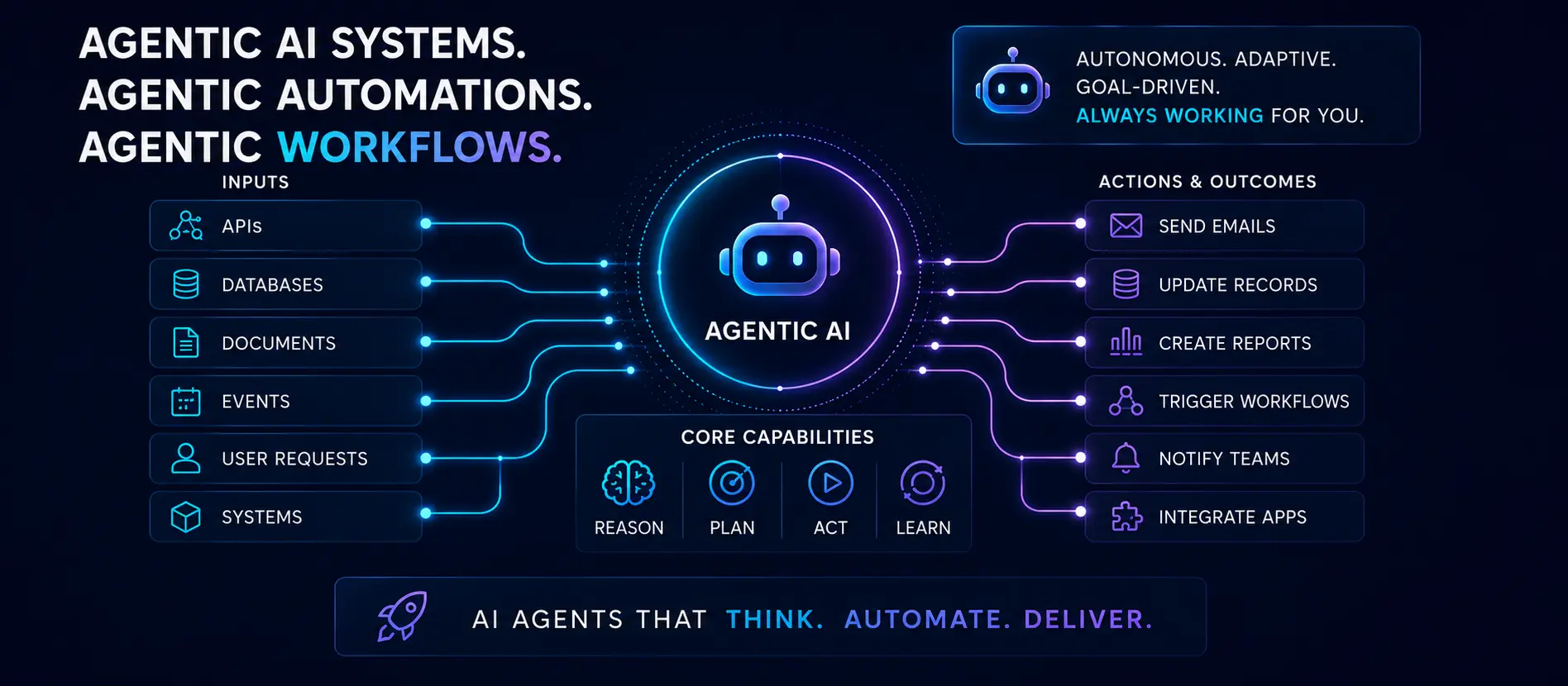
North Carolina AI automation built for small businesses across the Piedmont Triad — from simple no-code pipelines to multi-step agentic workflows that orchestrate services, augment your team, and reason and act. Every system delivered with architecture diagrams and a runbook your team can use.
AI agents with tool use n8n / Make / custom pipelines Architecture diagrams included Human-in-the-loop checkpoints
Six Ways Automation Gets Built
Automation projects range from a few connected workflows to full multi-agent systems. These are the six core patterns — often combined in a single engagement.
Workflow Automation
Connect your apps, trigger actions on events, and eliminate manual steps using n8n, Make, or custom event-driven pipelines. Runs 24/7 with no human required.
AI Agents
Purpose-built agents that reason, use tools, and complete multi-step tasks autonomously — from ticket triage and lead qualification to content creation and data extraction.
Multi-Agent Orchestration
Coordinate multiple specialized agents — a planner routes tasks to worker agents, results are validated, and humans step in only when confidence is low or a decision is high-stakes.
Scheduled Agents
Time-triggered automations that run reports, aggregate data from multiple sources, send summaries, or perform recurring tasks on a schedule — without any manual trigger.
API Orchestration
Chain internal and external APIs into reliable, fault-tolerant workflows with retry logic, error handling, dead-letter queues, and structured logging — so failures are caught, not silently dropped.
Diagrams & Documentation
Every system delivered with architecture diagrams, data flow maps, and a runbook so your team can operate, debug, and extend the system without depending on the original builder.
Agentic & Automation Packages
Fixed-scope engagements with clear deliverables, architecture diagrams, source code, and documentation on every project.
Automation Starter
3–5 connected workflows that eliminate your most time-consuming manual tasks.
Every automation and agentic system project follows four phases — map before you build, diagram before you deploy.
1
Discover & Map
Map your current workflow, identify the manual steps that should be automated, and define inputs, outputs, error cases, and edge conditions before designing anything. Assumptions surface here, not after build.
2
Design & Diagram
Draft the architecture — agent roles, data flows, tool connections, human checkpoints, and fallback paths. You review and approve the diagram before a single workflow is built.
3
Build & Integrate
Build iteratively with working demos at each milestone. Workflows are connected to your real systems and tested against actual data — not synthetic examples — before sign-off.
4
Test, Launch & Document
End-to-end testing, edge-case validation, and deployment to your environment. Full handoff includes architecture diagrams, a step-by-step runbook, and a walkthrough call so your team can operate the system from day one.
À La Carte Services
Need one specific automation or agent rather than a full package? These standalone services are available individually or as add-ons to any existing project.
3-Workflow Package
Three connected automations for your highest-impact manual tasks.
Agentic systems aren't just for enterprises. These are the workflows SMBs automate first — and the ones that typically pay for themselves fastest.
Support Ticket Triage
Incoming tickets are classified, prioritized, and routed to the right team or person — before any human reads them.
Lead Qualification & Follow-Up
New form submissions are scored, enriched, and responded to automatically — warm leads get instant attention, not a delayed reply.
Weekly Business Summary
Sales, support, and ops data pulled from multiple sources, summarized by AI, and dropped into your inbox every Monday morning.
Product Catalog Updates
New products added to a spreadsheet or database trigger automated descriptions, tags, and publishing to your store or CMS.
Onboarding Workflows
New client or employee onboarding triggers a sequence of emails, task creations, document sends, and Slack notifications — automatically and on schedule.
Competitor & Market Monitoring
A scheduled agent checks competitor pricing pages, review sites, and news sources — then sends a digest when anything changes.
Why Build with Conxion Visual Communications Instead of an Enterprise Automation Firm?
Enterprise automation firms build for Fortune 500 scale. You get that level of thinking applied to your actual business — without the overhead, lock-in, or six-figure price tag.
✅ Custom-built = you own it — no monthly platform fees once it's deployed
❌ Enterprise automation firms: $30,000–$300,000 for custom agents
✅ Agentic Build from $5,500 — same capability, SMB-appropriate scope and price
❌ No documentation — only the vendor knows how it works
✅ Architecture diagrams + runbook on every project — your team can operate it independently
❌ Rule-based automation can't handle exceptions or ambiguity
✅ AI agents reason through edge cases — not just rigid if/then triggers
❌ Locked into one vendor's tool stack and pricing
✅ Open-standards-first architecture — built on portable tools you're not hostage to
❌ Account managers relay feedback; builders are unavailable
✅ Direct access to the builder throughout every project
Diagram first, build second
Every system is diagrammed and reviewed before a workflow is built. Catches misunderstandings early, prevents expensive rework late.
Human-in-the-loop by design
AI agents are powerful but not infallible. Every agentic build includes confidence thresholds and explicit human review steps for high-stakes decisions.
Full source code ownership
Every automation and agent is delivered as clean, documented code. You can extend it, hand it off, or migrate it — no vendor dependency, no recurring license.
Works with your existing stack
Already using HubSpot, Zendesk, Shopify, or a custom app? Automations integrate with what you have — not what you'd need to migrate to.
Flexible Hourly Rate
Need an automation audit, a quick workflow fix, or a scoping consultation before committing to a package? Flexible hourly engagements are available — no minimum, no retainer required.
Common questions about agentic systems, workflow automation, and how these projects work.
Workflow automation follows a fixed sequence of steps: if X happens, do Y. It's reliable for predictable, well-defined tasks. An agentic system adds AI reasoning on top — an agent can read a situation, decide which tool to use, handle unexpected inputs, and take multi-step action without every path being pre-programmed. Most real-world projects combine both: deterministic workflows for reliable, high-volume tasks and AI agents for the steps that require interpretation or judgment.
For workflow automation: n8n (self-hosted or cloud), Make (formerly Integromat), and custom Python or Node.js pipelines for cases where neither fits. For AI agents: the Claude API, OpenAI, and local LLMs via Ollama — combined with tool-use frameworks like LangGraph and direct API calls. The right platform is chosen based on your use case, hosting preference, and whether you want a visual interface or code-first flexibility. You're never locked into a single vendor's ecosystem.
It depends on the complexity. Simple n8n or Make workflows have visual interfaces non-technical staff can read and modify. Custom-coded agents require a developer for changes, which is why every project includes a detailed runbook — so your team knows exactly what the system does, what to monitor, and when to call for help. For clients without in-house technical staff, an ongoing retainer ensures the system stays healthy without requiring internal expertise.
Yes — and that's usually the goal. Most automation projects connect systems you already have rather than adding new ones. Common integrations include HubSpot, Salesforce, Zendesk, Shopify, WooCommerce, Google Workspace, Slack, Notion, Airtable, QuickBooks, and custom-built apps. If your existing tool has an API or webhook support, it can almost always be included. The discovery call maps what you have before recommending anything new.
Errors are designed for, not hoped against. Every workflow includes retry logic for transient failures (API timeouts, rate limits), alerting for failures that need human attention, and a dead-letter queue for items that fail repeatedly so nothing is silently dropped. AI agents have confidence thresholds — if a decision is below the defined threshold, it escalates to a human instead of proceeding. Every failure mode is documented in the runbook with the expected recovery step.
Yes, with proper design. Agents access only the data sources they need through scoped, read-only credentials where possible. For highly sensitive data (PII, financial records, health information), local LLM options keep processing entirely on your network. Data flow diagrams produced in every project show exactly which systems the agent reads from and writes to, and what data passes through each step — making it straightforward to assess and audit.
Ready to Automate Your Most Time-Consuming Work?
Let's start with a free consultation — I'll map your current workflow and tell you exactly which tasks are best automated, what it would take, and what it would save.